The Chip
The Atari 2600[1] went on sale in September 1977 for $199. Inside the console is a 6507[2] — a variant of the 6502[3] with thirteen address lines instead of sixteen, packaged to reduce the cost of the cartridge connector.
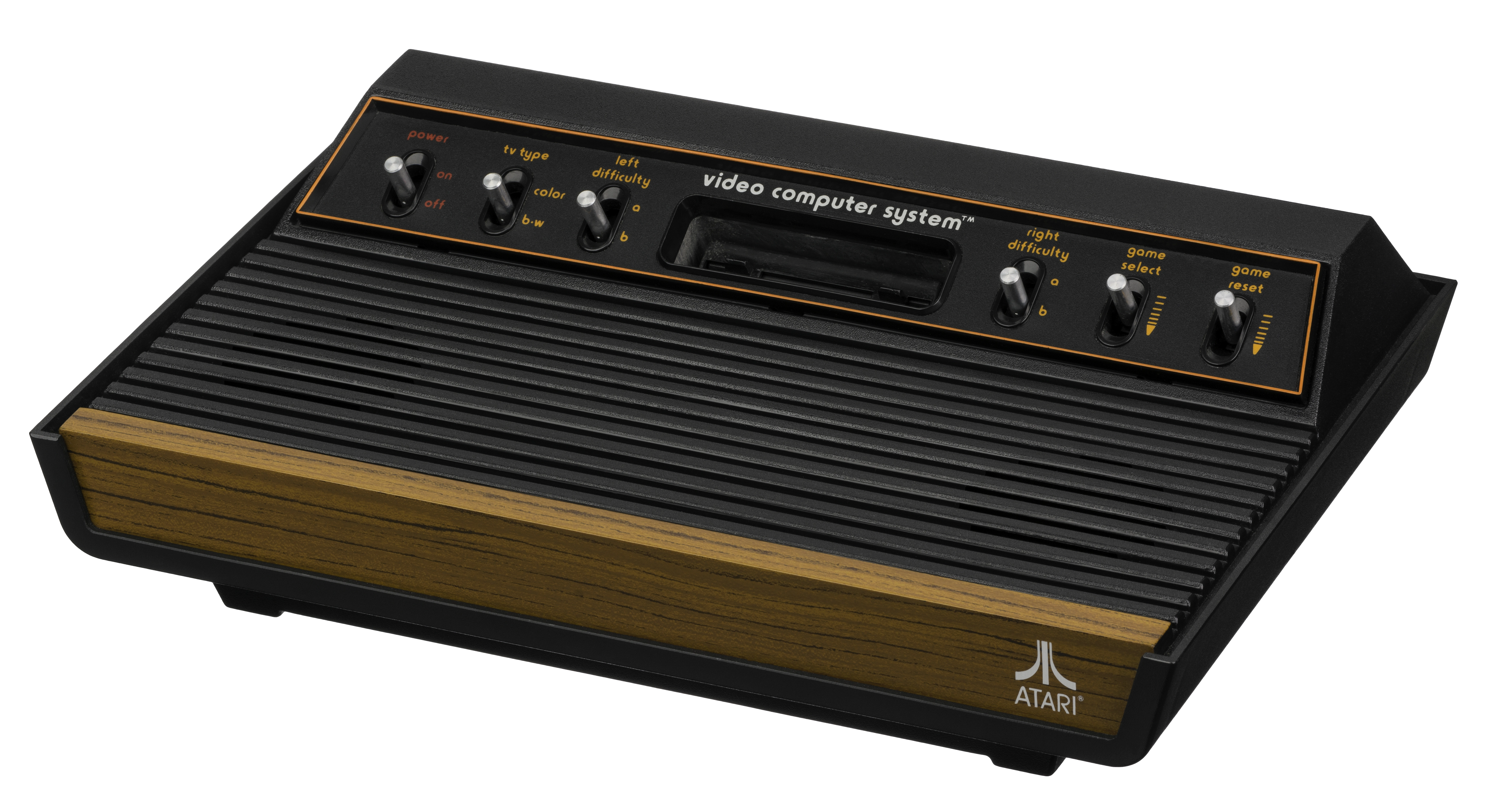
Connected to it: 128 bytes of RAM, a TIA[4] chip that generated the television signal one scanline at a time, and a RIOT[5] chip for timers and I/O. That is the entire computer. No operating system. No filesystem. No standard library. When a cartridge was inserted, the chip's address lines connected directly to the ROM inside — the program fused into silicon, mapped to a fixed starting address, executed directly. The CPU walked into the cartridge and ran.
The 6507 is a 6502. The two share every instruction, every addressing mode, the same register set, the same timing model. The only difference is three address lines missing from the package — Atari saved a few cents per unit and gained compatibility with a simpler cartridge connector. Every 6502 program runs on a 6507, and vice versa, at any address both can reach.
This chapter builds that machine — not inside a console, but on a breadboard. A 6502, a ROM chip, a RAM chip, a clock, and enough address decode logic to tell the CPU which chip is answering it. Every connection the injection-moulded plastic hides inside a 2600 is visible here. That is the point.
The implementation pages wire the computer in stages: power and clock first, then ROM and address decode, then RAM. Each stage ends with a verification step — a LED or a multimeter reading confirming the signal is there before building on it. Complete each stage before the next. Start at Setup.
The First Time the Clock Ran
The first time I seated the 6502 in a breadboard I spent an hour before I understood why nothing was happening. I had power. I had a clock signal. I had the ROM wired according to the datasheet. The address lines were flat. The CPU was not running.
The problem was RESB — the reset pin. On the 6502, RESB must be held low for at least two clock cycles on power-up, then released high before the CPU begins the reset sequence. My reset circuit had the capacitor wired the wrong way: the pin was floating, neither reliably high nor low, and a floating RESB is enough to stop the processor indefinitely. The chip does nothing. It gives you no indication why.
Once the reset circuit was correct — capacitor from RESB to ground, resistor from RESB to VCC, the pin held low on power-up then rising — the address lines started toggling. I had eight LEDs wired to A0 through A7. They flickered in a pattern that looked like noise. It was not noise. It was the program counter incrementing: the CPU walking through the reset vector, then into the first instruction of my ROM.
That is what the Atari 2600 cartridge slot is. A connector. The cartridge's ROM chip connects to those same address lines and data lines. Every instruction Combat[6] executes, every lookup table Pitfall![7] reads, every byte Adventure[8] stores — each one is the 6502 putting a sixteen-bit address on those lines and reading eight bits back. There is no OS layer, no driver, no runtime. The chip and the ROM are the entirety of it.
The Project
Wire a 6502 breadboard computer:
- A stable +5V supply with decoupling capacitors at the CPU
- A 1 MHz clock circuit
- A reset circuit (RESB held low on power-up, rising to +5V)
- A 32KB ROM (AT28C256) with a minimal test program burned in
- A 32KB RAM (62256)
- Address decode: ROM at
$8000–$FFFF, RAM at$0000–$7FFF
Verify in order:
- Power — VCC and GND stable, confirmed with a multimeter
- Clock — signal visible on the clock line
- Reset — RESB cycles correctly on power-up
- ROM — address lines toggling shows the CPU is fetching instructions
- RAM — write a known byte, read it back
The Tester
There is no software tester for this chapter. Verification is physical.
The checklist is in the companion repo as CHECKLIST.md. Work through
it in order — each check confirms the previous stage before you build
on it.
The Companion Repo
The repo contains CHECKLIST.md — a hardware verification checklist
to work through after each build stage, from power rails through ROM.